
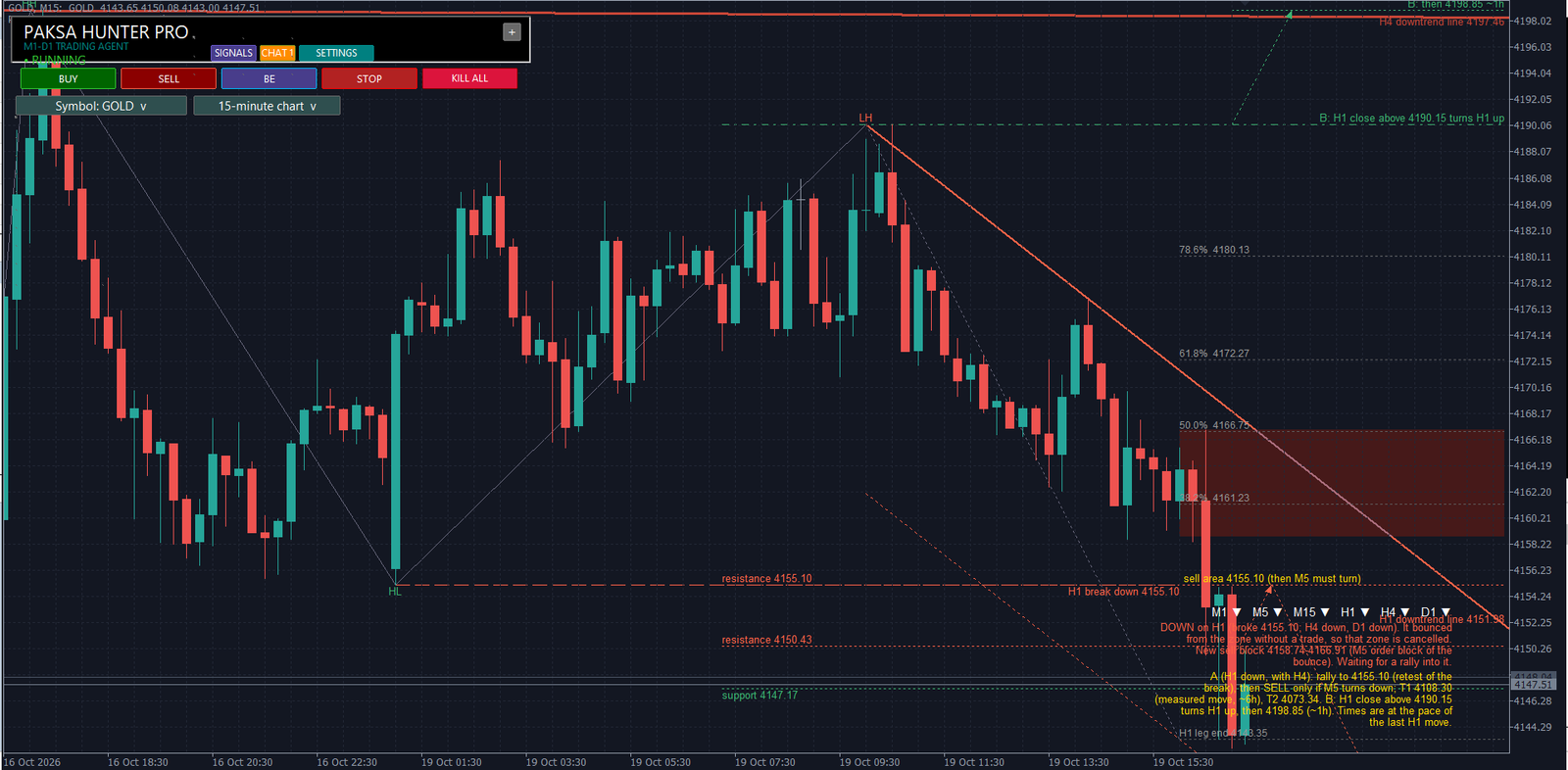
One agent, one decision
Paksa Hunter Pro reads six timeframes of the same market (M1, M5, M15, H1, H4 and D1) and makes one decision from them. H1 sets the direction, H4 and D1 must agree, M5 times the entry and ATR measures every distance, so the same rules work on gold, indices and currencies. On every candle the agent writes what it sees and what it is waiting for, on the chart and in its dashboard.
The problems we solved, with evidence
Every fix below started from evidence, not from a guess: a live log, a Strategy Tester report or an MQL5 Market validation report. Where a broker condition could be reproduced in the tester, we reproduced it before fixing it.
| Problem | Evidence | What we changed |
|---|---|---|
| Waiting at old zones for a pullback lost money, and the agent sat idle for hours while price ran | Signal study: every entry signal on GOLD 2025 and 2026 real ticks (4,459 signals), measured in R | Momentum entry: only strong H1 trends confirmed by H4 and D1, on the next M5 push; designed on 2025, confirmed on unseen 2026 (v2.00) |
| Separate engines disagreed on direction, so the robot missed clear entries | Live logs: one module saw a buy, another a sell, a third filtered both out | One agent reads M1 to D1 and makes every decision (v1.112) |
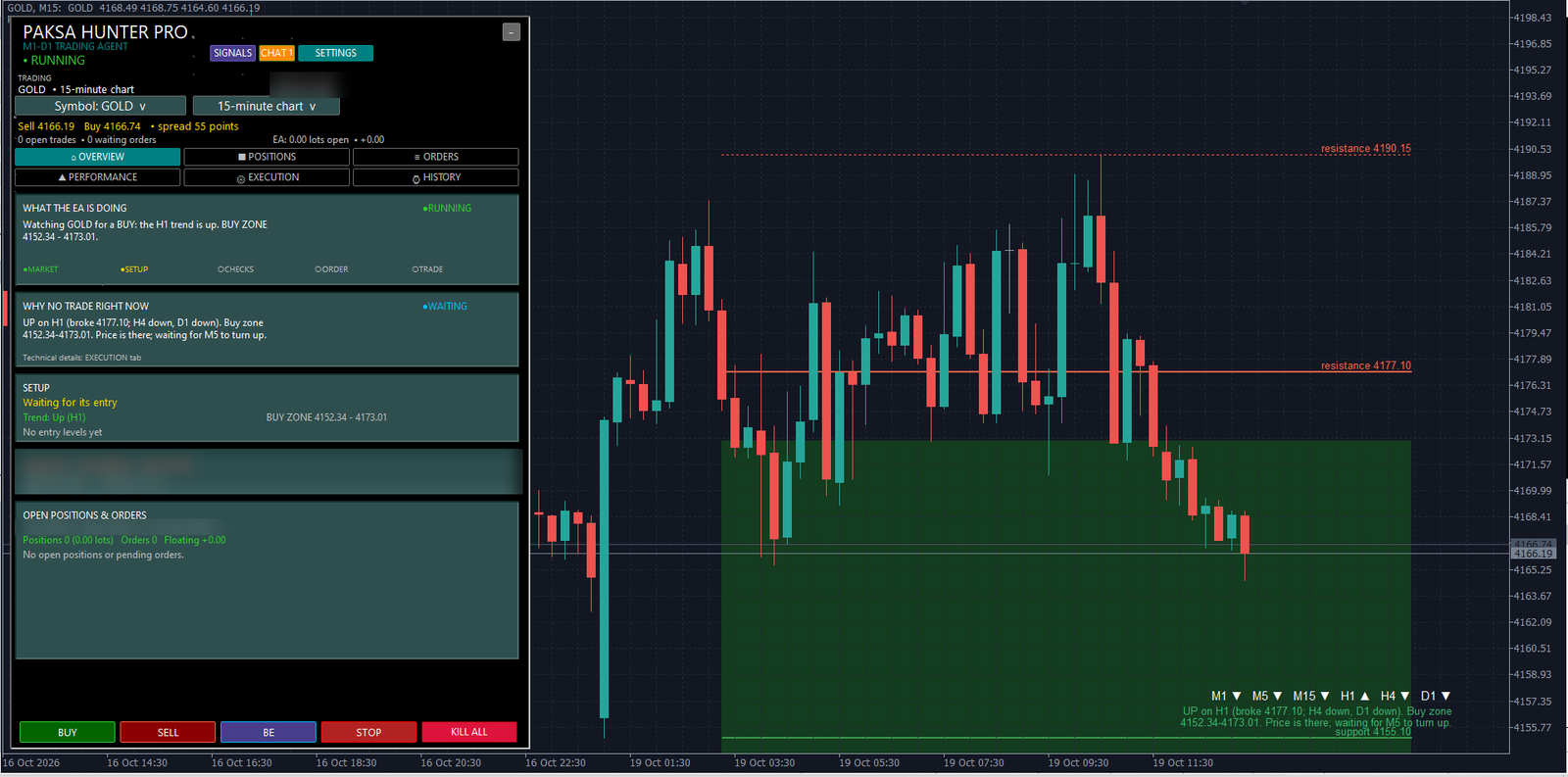
| After price bounced from the entry zone, the robot kept waiting at a level price had left | Live GOLD log, 19 Oct 2026: the bounce was seen at 16:09 and refused 9 times by an over-strict target rule | A used zone is cancelled and the bounce’s order block becomes the next entry area; the target is the high or low the trend is heading back to (v1.115, refined in v1.118) |
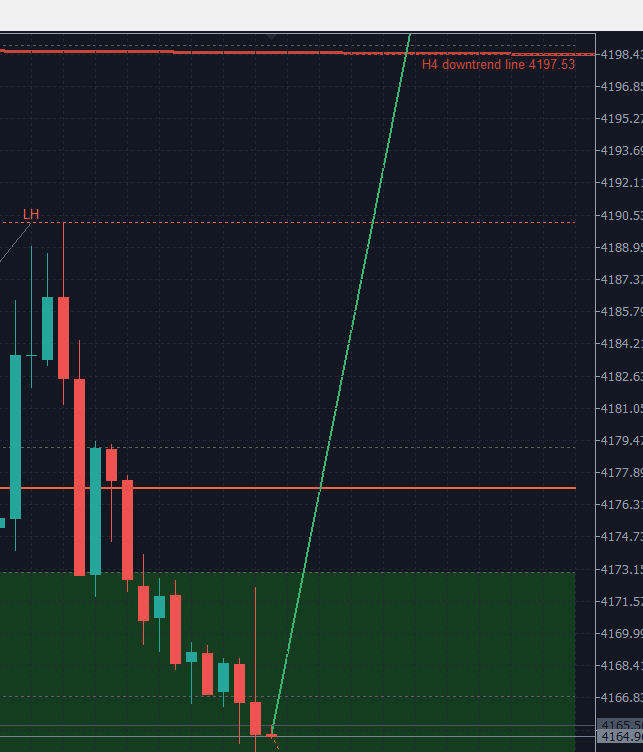
| A chart forecast drew a straight line to the target from every new candle | Screenshot below | Two conditional scenarios that start at the level that must trade first and run at the pace the market really moved (v1.114) |
| Stop-loss changes sent while the broker had frozen the position | MQL5 Market validation: 21 refused modifications on EURUSD | No stop change is sent while the broker would refuse it (v1.116) |
| Orders larger than the broker’s per-symbol volume limit | MQL5 Market validation: 21 refused orders on GBPUSD; reproduced on a test symbol with a 0.2-lot limit | Order size is trimmed to the limit: 11 refused orders before, none after (v1.117) |
| A single requote silently cancelled a valid entry | Code audit: a requote was treated as a final rejection | Requotes and price changes are retried after a pause (v1.118) |
| Loss limits and trade plans forgotten after a restart or a move to a VPS | Code audit of what survives a restart and what a MetaTrader VPS receives | Loss baselines, trade plans and missing stop-losses are rebuilt from the account history (v1.118) |
| Two copies of the EA trading the same account | Seen on a client PC: the same account open in two MT5 terminals | A second copy on the same PC refuses to start; a copy on another PC or VPS is detected and the trader alerted (v1.118) |
| The dashboard said RUNNING while a loss lock or news pause blocked every trade | Dashboard compared with the entry checks | The header shows the real pause, for example “DAILY LOSS LOCK – NO NEW TRADES” (v1.118) |
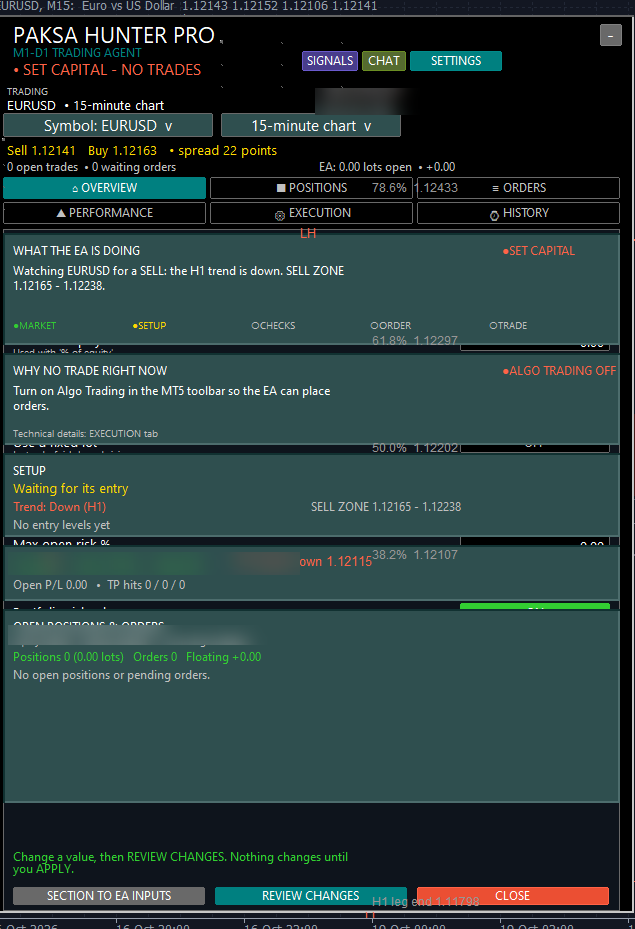
| Dashboard panels mixed after a timeframe change; the timeframe list lay over the trading buttons | Screenshot below | Lists open away from the trading buttons on the top layer, leftover panels are cleared, the chart scrolls freely (v1.118) |
| Long backtests stopped part-way and produced an empty report | Strategy Tester: the test log reached about 1 GB | Status logging in the tester cut to changes only; every report is checked for a complete run before its numbers are used (v1.118) |
Built for real brokers, not only for the tester
- Reads the broker’s filling mode, minimum stop distance, freeze level and per-symbol volume limit before every order.
- Measures the broker’s time zone automatically, so trading hours, the Friday cutoff and the weekend close are correct on any broker.
- Retries requotes, resizes take-profit steps after a partial fill, and never sends an order at a price that moved too far.
- One trade per setup, checked against the broker’s own history, so a restart can never open the same trade twice.
- Stop-loss and take-profit sit at the broker on every trade, so they work even when the computer is off.
A complete control dashboard inside MetaTrader 5
Most Expert Advisors on the market are set up only through the MT5 input window and show little or nothing while they run. Paksa Hunter Pro comes with its own dashboard, so the trader controls and understands the agent without leaving the chart.
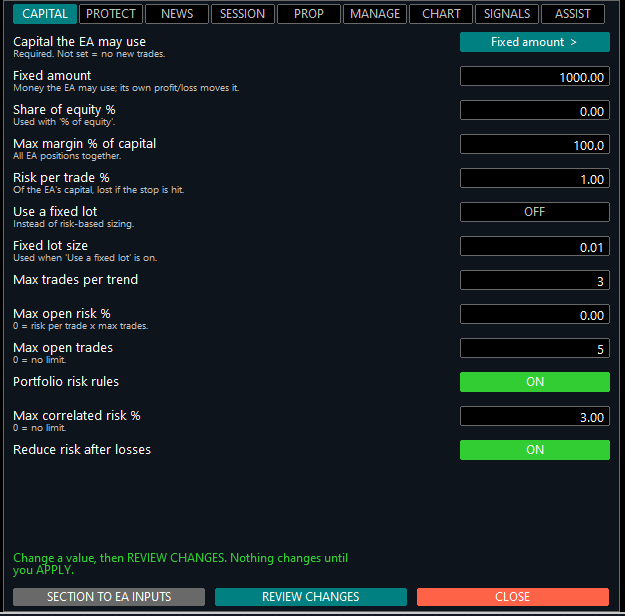
- Controls: BUY and SELL tickets with a risk preview, break-even for all trades, RUN / STOP and KILL ALL.
- Pages: overview, open positions, orders, performance, execution details and trade history.
- Settings in 9 sections: capital, protection, news, trading session, prop-firm rules, trade management, chart drawing, signals and assistant.
- Explanations: what the agent is doing, why it is not trading right now, and the current setup with its zone, entry, stop and target.
- Assistant: a daily briefing, news heads-ups, an explanation of each trade and its result, and optional phone notifications.
- Navigation: switch symbol and timeframe from the panel, edit stop-loss and take-profit of open trades.
How we test
- More than 190 complete MetaTrader 5 Strategy Tester runs across 15 releases, on over 20 instruments: gold, silver, oil, stock indices and major currency pairs.
- Real-tick data for every result we rely on, with the strategy designed on one period and confirmed on a later period it has not seen.
- Broker conditions reproduced on test symbols (freeze levels, volume limits) before a fix is accepted.
- Each new build compared trade by trade with the previous one, so a fix cannot change trading by accident.
- MQL5 Market automatic validation used as an outside check of broker handling.
What traders get
- Understanding: no black box. Every decision and every reason for not trading is shown in plain words.
- Protection first: a stop-loss on every trade, no grid, no martingale, no averaging into losses, and trading stops on its own at the limits the trader sets.
- Control: capital and risk chosen by the trader, changed from the chart, with prop-firm rules built in.
- Reliability: the same behaviour on different brokers, after restarts and on a VPS.
- Analysis on the chart: market structure, trendlines with channels, retracement levels, entry zones and conditional scenarios with targets.
Trading leveraged products such as gold and currencies carries a high risk of loss. Paksa Hunter Pro does not guarantee profits, and test results do not predict future results.
